后端利用 node.js + express 生成图形验证码
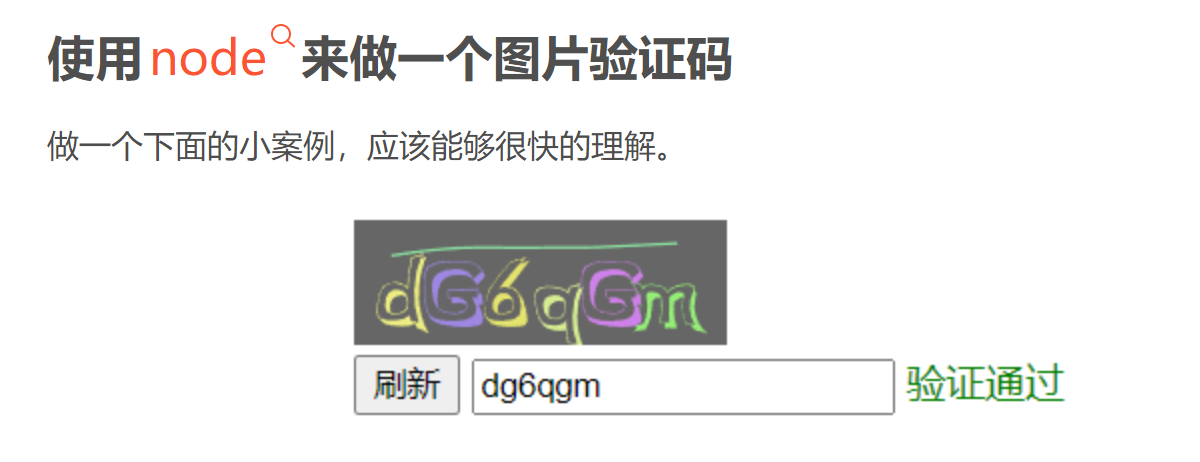
先使用 express 搭建一个简单的服务器
npm i express
const express = require('express')
const app = express()
app.use(express.static('public')) // 配置静态资源

app.listen(80, () => {
  console.log('http://127.0.0.1')
})
然后安装 svg-captcha 第三方模块
npm i svg-captcha
//引入
const svgCaptcha = require('svg-captcha')
app.get('/getInfo', (req, res) => {
 // 下面这行代码是随机生成验证码图片和文本并返回给客户端
  const c = svgCaptcha.create({
    size: 6, // 验证码长度
    ignoreChars: '0o1i', // 验证码字符中排除 0o1i
    color: true, // 验证码是否有彩色
    noise: 1, //干扰线
    background: '#666' // 背景颜色
  })
  res.send(c)
})
前端进行调用
<template>
  <div class="container">

    <h1>图形验证码</h1>
     <div v-html="Svg"></div>

    <button id="btn" @click="getinfo">刷新</button>
    <input type="text" id="ipt" v-model="val" @blur="bijiao()" />
    <span id="span" ref="spanRef"></span>
  </div>


</template>

<script>

import axios from 'axios'
export default {
data(){
  return{
     Svg:'',
     val:'',
     result:''
  }
},
methods:{
   // 调用封装为方法
  getinfo (){
  axios.get('http://127.0.0.1:8848/getInfo').then((res)=>{
        this.Svg = res.data.data
        this.result = res.data.text
        console.log(res.data.text)
        console.log("结果",this.Svg);
  })
},
bijiao(){
   if(this.val.toLowerCase() === this.result.toLowerCase()){
     console.log(this.val,this.result)
     alert("success")
     this.val = ''
   }else{
     console.log(this.val,this.result)
     alert("fail")
     this.getinfo();
   }
}
},
mounted(){
  this.getinfo()
}


};
</script>